

Learn how Scrum teams can run better retrospectives with RetroTeam AI. This article covers features such as creating a board, inviting participants, setting timers, AI-driven insights, and exporting retrospectives to PDF.
Author: Edo Williams, RetroTeam, https://retroteam.ai/
Facilitating Smarter Retrospectives with AI-Powered Insights
Running effective retrospectives is essential for Agile teams, but managing feedback, organizing ideas, and ensuring follow-through can be time-consuming. RetroTeam AI simplifies the process by automating feedback grouping, sentiment analysis, and action item generation, making retros more efficient and impactful.
In this guide, we’ll walk you through how to set up and facilitate a retrospective using RetroTeam AI. We’ll cover features such as creating a board, inviting participants, setting timers, AI-driven insights, and exporting retrospectives to PDF.
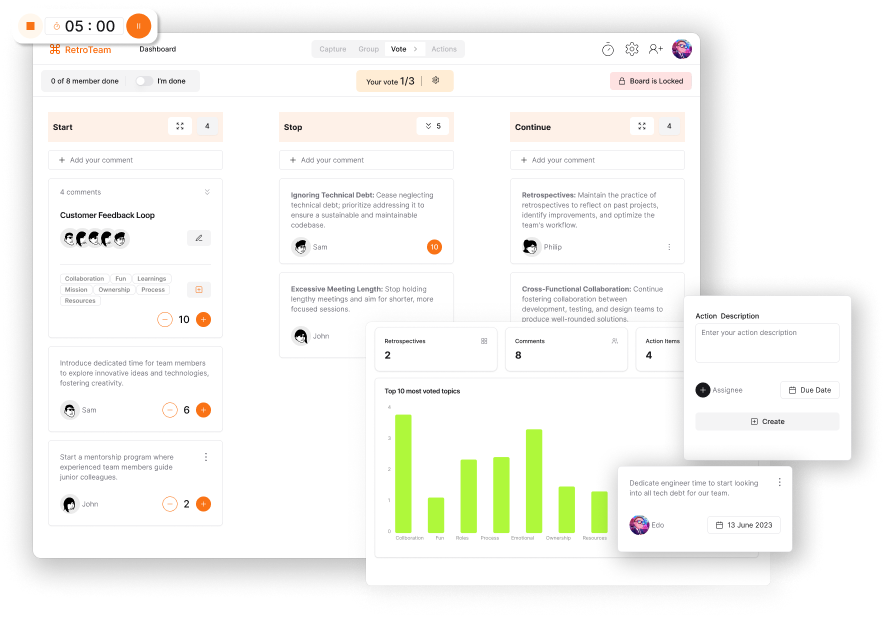
Why RetroTeam AI?
With the rise of remote work, teams are increasingly distributed across different locations. This shift brings new challenges for Agile teams, including maintaining engagement and ensuring retrospectives lead to real improvements.
RetroTeam AI solves these challenges by:
- Automating feedback grouping to reduce manual effort.
- Analyzing sentiment in real-time to highlight team morale trends.
- Generating AI-powered action items to ensure retrospectives drive results.
Now, let’s dive into how to set up and run an AI-enhanced retrospective with RetroTeam.
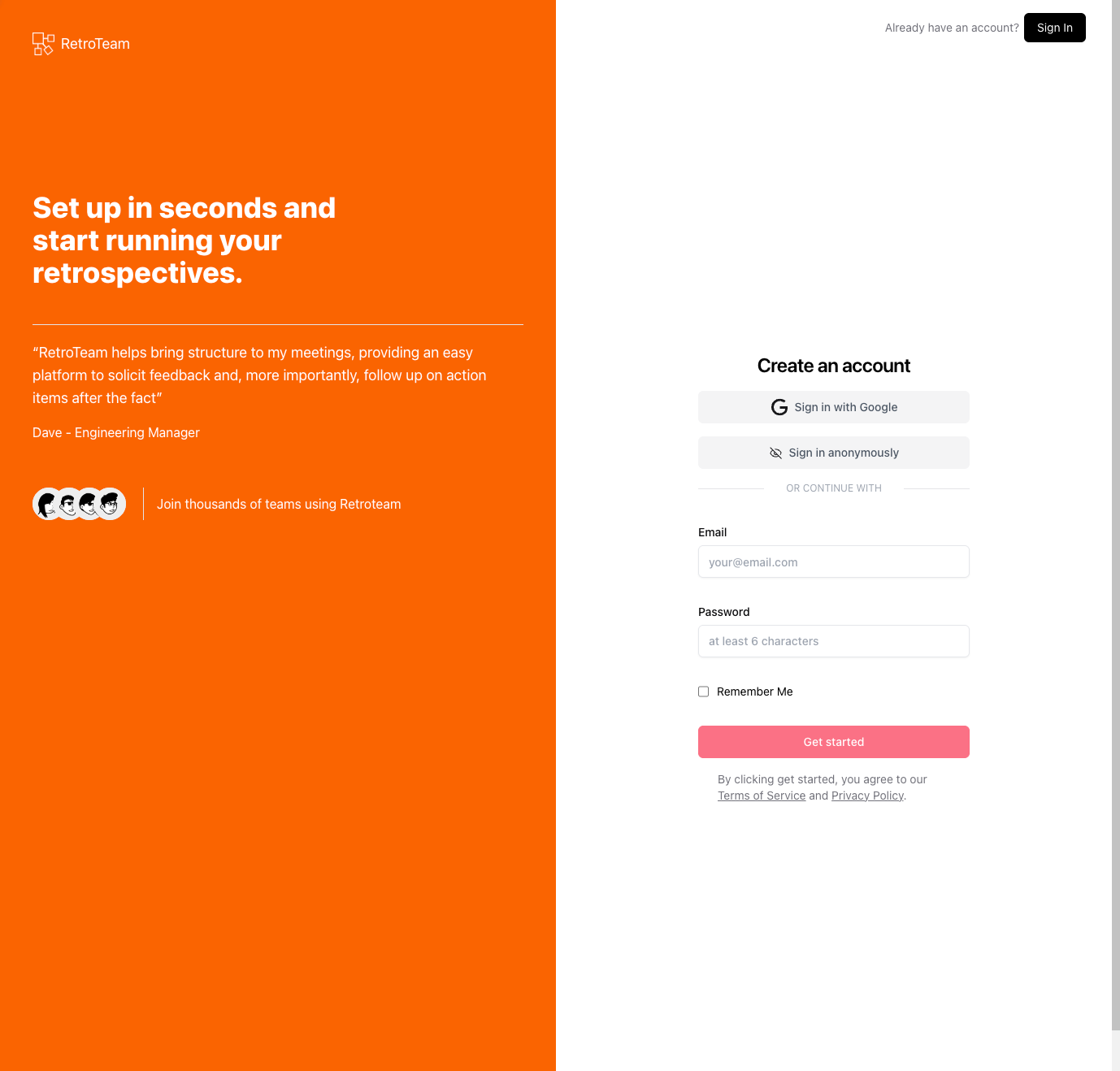
Step 1: Create Your Account
To begin, sign in to RetroTeam AI using: – Social accounts (Google) – Email login – Anonymous mode (Note: Data won’t be saved if cookies are cleared.)
Once logged in, you’ll have access to all the features needed to run a structured and automated retrospective.
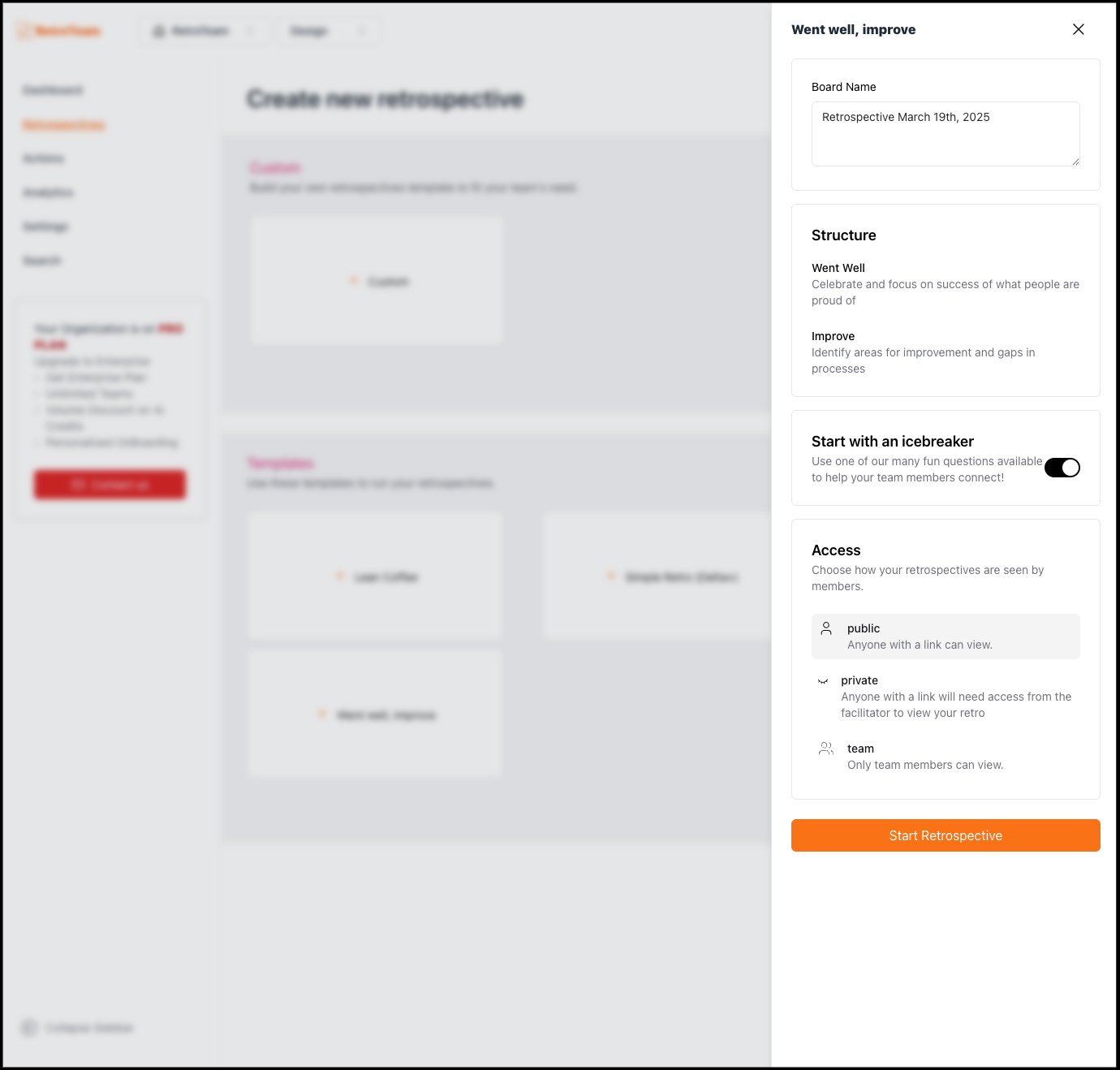
Step 2: Set Up Your Retro Board
Choose from a variety of retrospective formats, including:
- Start, Stop, Continue
- 4Ls (Liked, Learned, Lacked, Longed For)
- What Went Well, What Could Be Improved
- Custom formats tailored to your team’s workflow
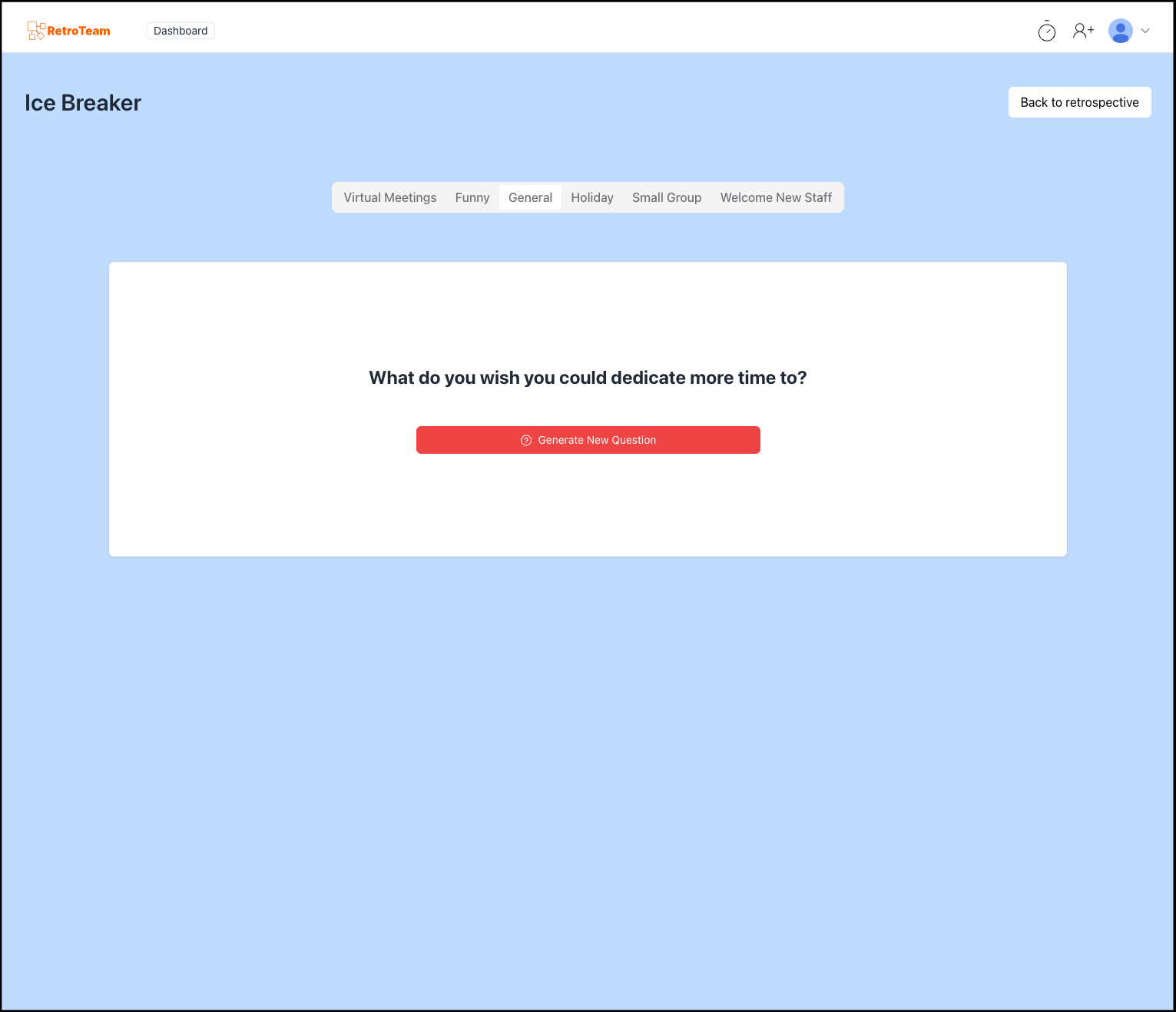
At the top of the board, you can:- Name your retro board for easy tracking.- Add a Ice breaker.- Set the board as public, private, or team.
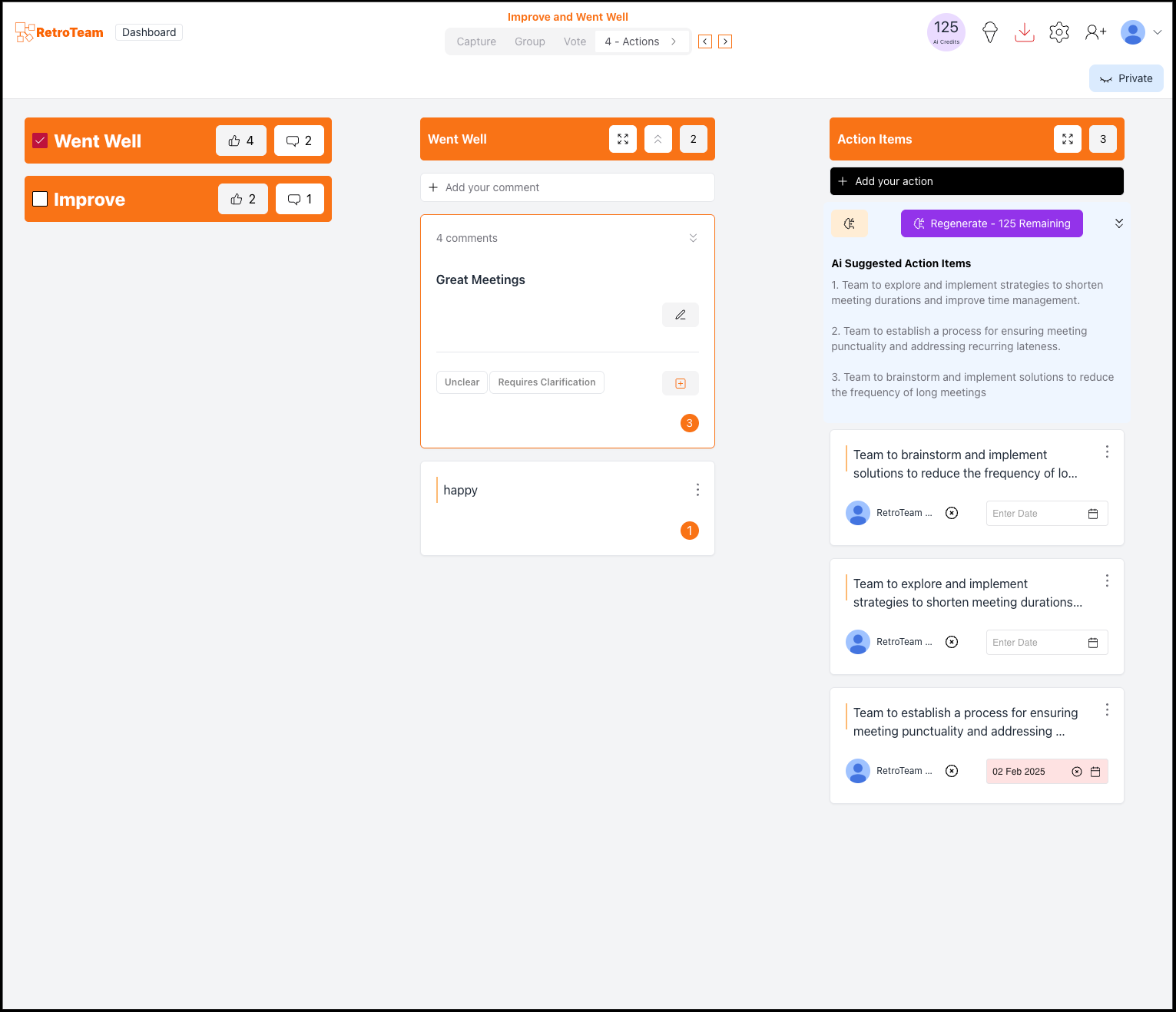
Step 3: Configure Board Settings
Access settings via the top-right corner to:
- Rename the board
- Set voting limits per user
- Enable/disable “Mark When Done” option
- Lock the board to finalize inputs
AI-Powered Feature: The AI automatically suggests thematic groupings for feedback, ensuring key trends emerge quickly.
Step 4: Invite Participants
Click the user icon to:
- View current participants
- Send invitations via email or shareable links
- Remove or re-add participants for private boards
Step 5: Run the Retrospective
Phase 1: Write Feedback
- Team members enter feedback by clicking the + button.
- AI instantly categorizes similar responses into meaningful themes.
- Users can edit, delete, or move cards as needed.
Phase 2: Group Similar Ideas
- Moderators drag and drop cards into relevant categories.
- AI automatically suggests groups to streamline the process.
🔹 AI-Powered Feature: Real-time feedback grouping reduces the need for manual sorting, saving teams time.
Phase 3: Vote on Key Topics
- Each participant gets a set number of votes.
- Click + to add a vote to important topics.
- AI highlights which issues are most frequently mentioned for prioritization.
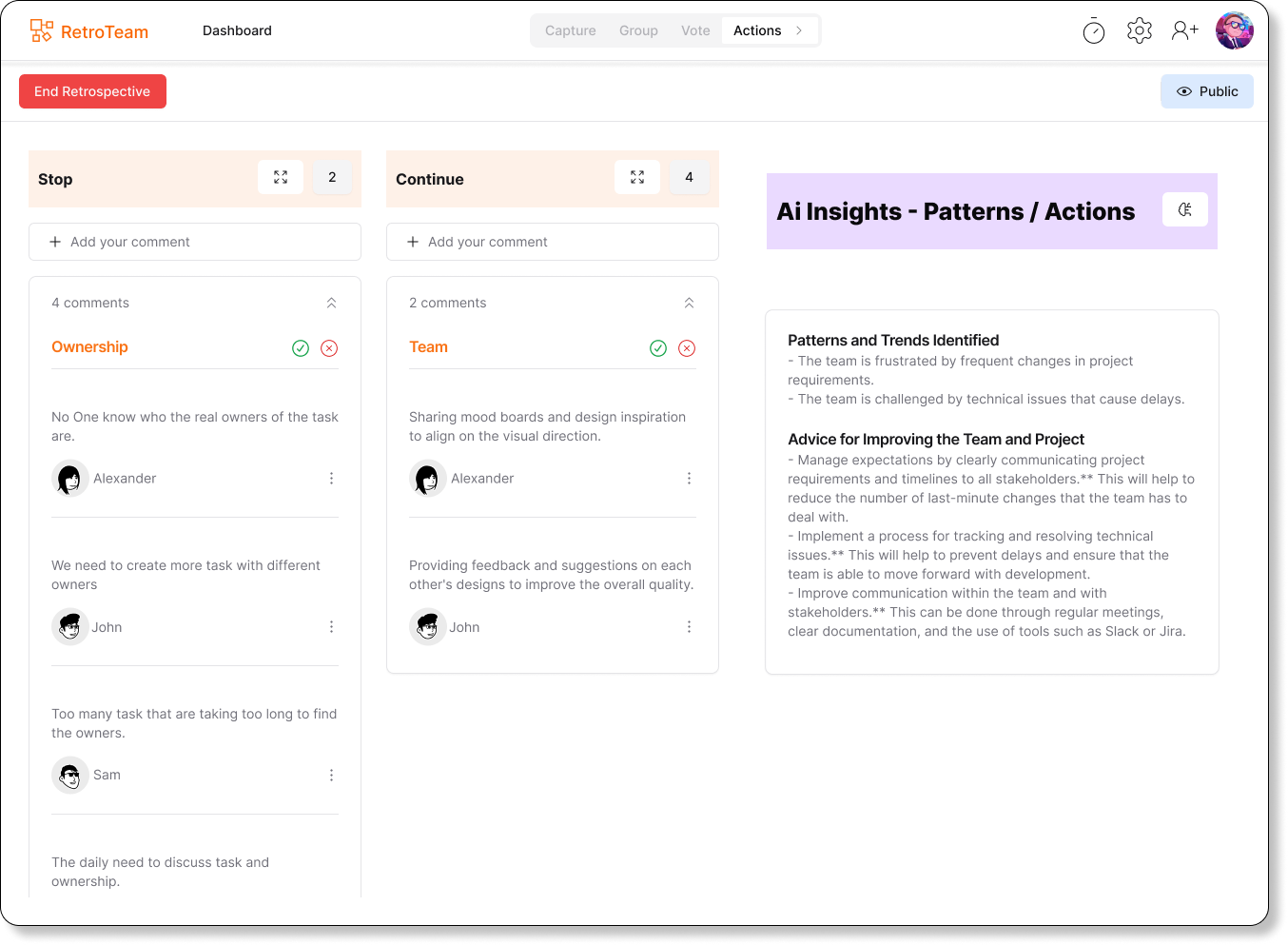
Phase 4: Discuss & Define Action Items
- The most-voted topics appear at the top.
- AI-suggested action items appear based on discussion points.
- Assign responsibility and track progress.
🔹 AI-Powered Feature: RetroTeam AI generates smart, actionable recommendations based on previous retrospectives and feedback patterns.
Step 6: Export and Share Meeting Summary
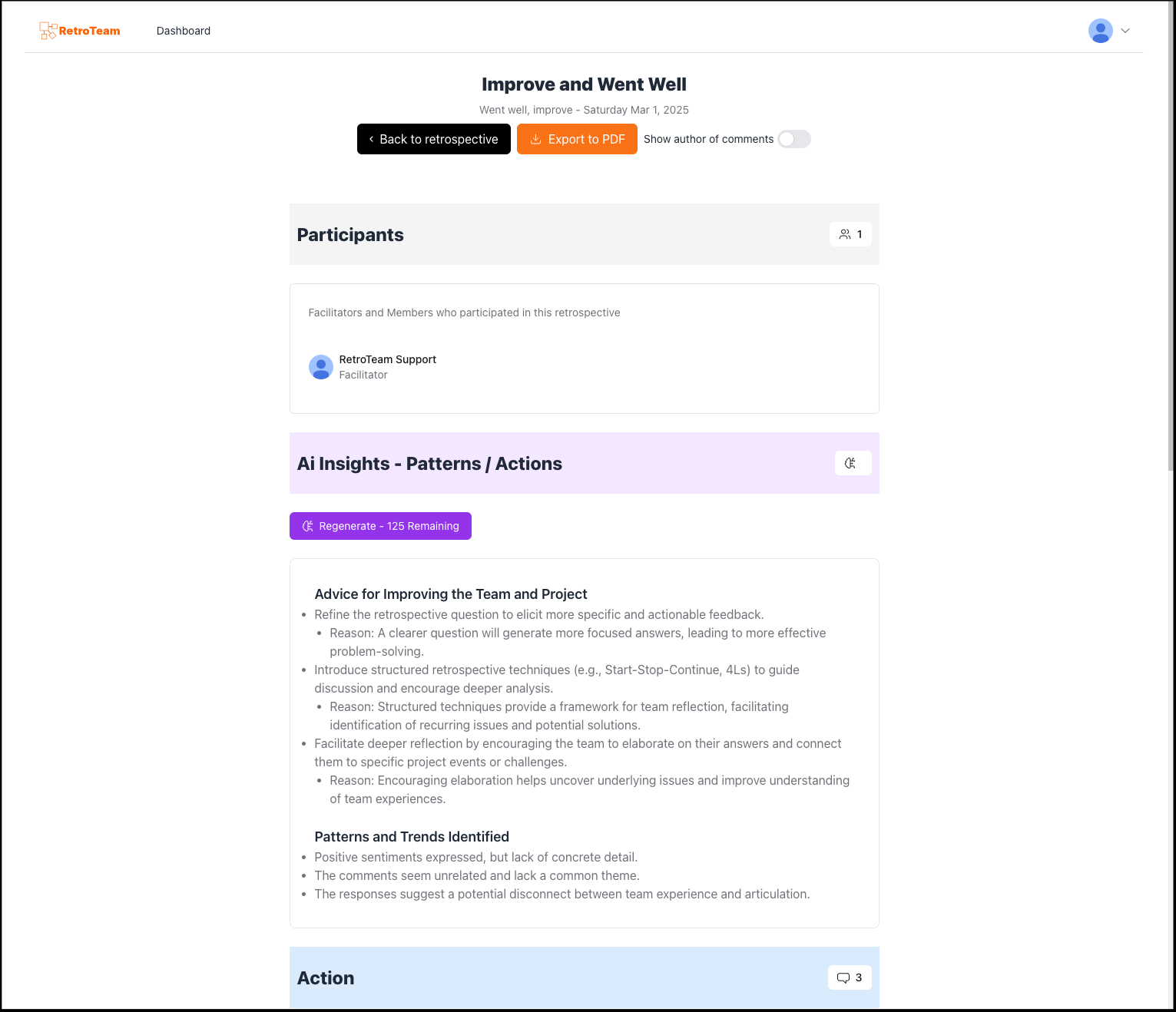
Retrospectives only drive results when follow-up happens. That’s why RetroTeam AI allows you to export retrospectives to PDF for easy tracking and accountability.
- Click Export to download the full retrospective.
- Save it as a PDF, print it, or share it with stakeholders.
🔹 AI-Powered Feature: RetroTeam AI summarizes key insights from the retrospective, ensuring no feedback is overlooked.
Why I Built RetroTeam AI
“As an Engineering Manager, I’ve run countless sprint retrospectives. I needed a simple, efficient, and AI-powered retrospective tool that could eliminate the repetitive manual work of sorting feedback and tracking action items. That’s why I built RetroTeam AI-to help Agile teams focus on real improvements instead of getting lost in admin work.” – Edo Williams, Founder of RetroTeam
Key Benefits of RetroTeam AI
✅ AI-Powered Comment Grouping: Saves time by automatically clustering feedback.
✅ Sentiment Analysis for Deeper Insights: Understand how your team is feeling.
✅ Automated Action Items: AI suggests improvements based on feedback trends.
✅ Privacy & Security: Private retros have to protect team discussions.
Final Thoughts
Retrospectives should be insightful, not tedious. With RetroTeam AI, you get a tool that:- Saves time by automating manual tasks – Provides AI-driven insights for better decision-making- Helps teams stay engaged and continuously improve
Start using RetroTeam AI today and experience a smarter way to run retrospectives.
FAQs
1. How does RetroTeam AI improve retrospectives?
RetroTeam AI automates feedback grouping, sentiment analysis, and action item creation, making retrospectives more efficient and actionable.
2. Can I use RetroTeam AI for remote teams?
Yes! RetroTeam AI is designed for remote and hybrid teams, offering real-time collaboration and AI-powered automation.
3. Is RetroTeam AI free to use?
Yes! RetroTeam offers both free and premium plans, so teams of all sizes can benefit.